Release Notes – 6.1.3

Version: July 2026

Release Notes for ReportServer 6.1.3

Hotfix: Unique and not-empty user variable names enforced

User variable names are now validated when creating or renaming user variables in the administration UI. Duplicate names are rejected and the grid is refreshed to restore the persisted server state.

User variable names must now be unique and not null. In addition to the existing GUI and backend validation, ReportServer now also enforces this rule on database level using a unique constraint.

Duplicate user variable names can lead to ambiguities when reports resolve user variables. During upgrade, existing duplicate, empty, or missing user variable names are adjusted automatically to allow the new constraint to be created.

⚠ Important after the upgrade

Administrators should review all user variable definitions under User Root → User Variable Management.

During the upgrade, duplicate user variable names are renamed automatically. The generated names contain _DUP_. Empty user variable names are also renamed and receive a generated name containing uservariable_DUP_.

Administrators should verify that these generated names are appropriate and update affected user variables and reports if necessary. Duplicate user variables can also be deleted, but the corresponding reports must be adapted accordingly.

Example of automatically renamed user variables:
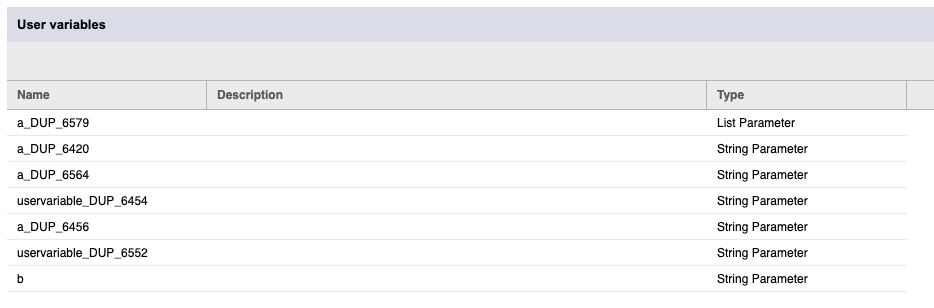
Automatically renamed duplicate user variables

Scheduling: Permission Handling for Report Conditions

Fixed an issue that could prevent users from scheduling reports when they lacked permissions for unrelated report conditions.

Previously, the scheduling wizard checked all registered report conditions, even when no condition was selected for the current schedule. This could cause the wizard to fail if the user did not have read and execute permissions for a condition report unrelated to the report being scheduled.

The scheduling process now considers only report conditions that are applicable to the currently scheduled report. Unrelated conditions no longer affect the ability to create or edit schedules. This change improves permission isolation and prevents unnecessary scheduling failures.

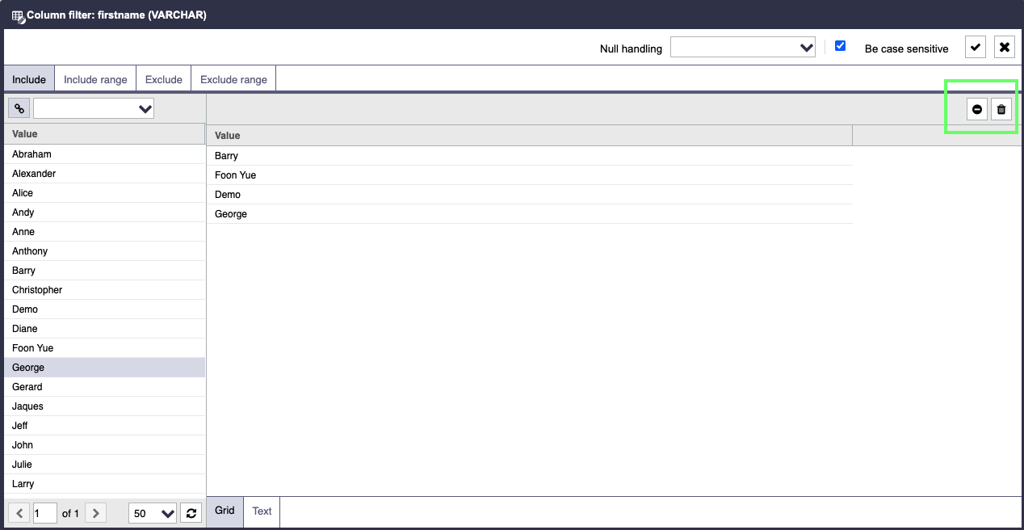
"Remove" buttons in filter dialog are not visible

Fixed an issue where the “Remove” buttons in the dynamic list filter dialog were not visible as shown in the following screenshot, preventing users from removing filter entries.

Filter

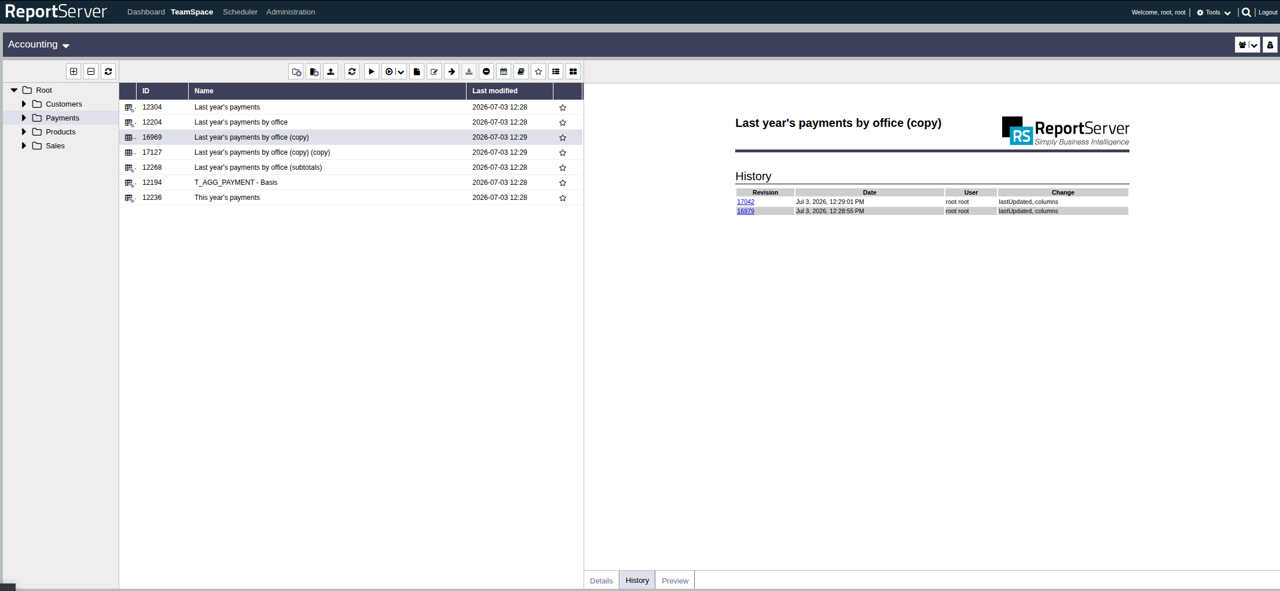
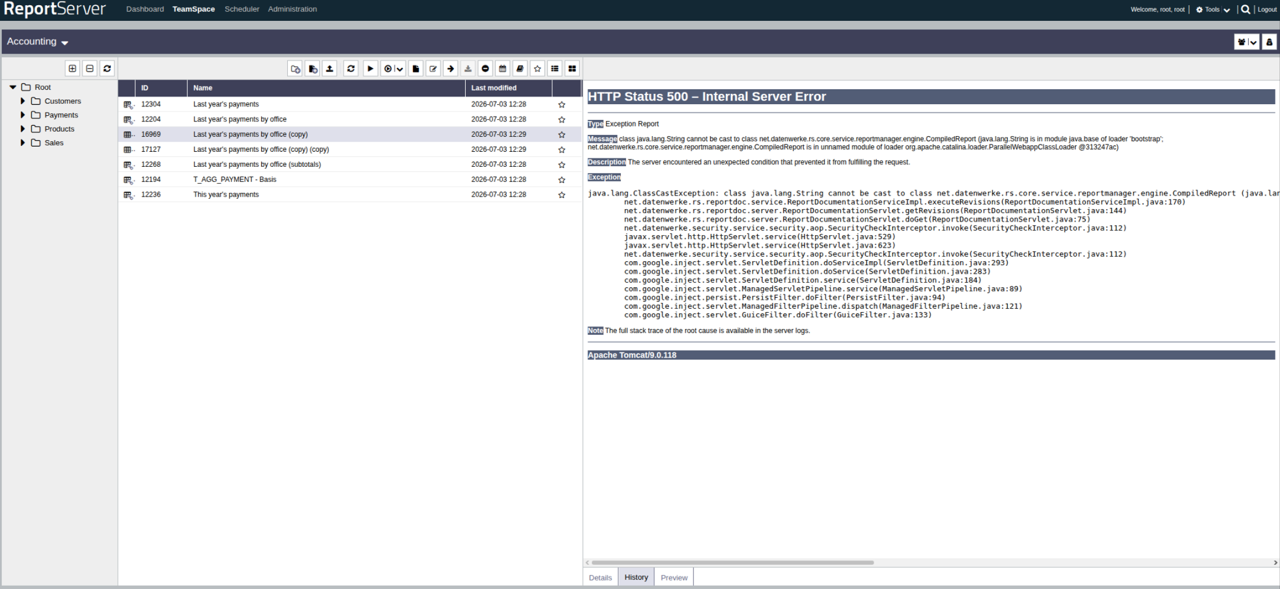
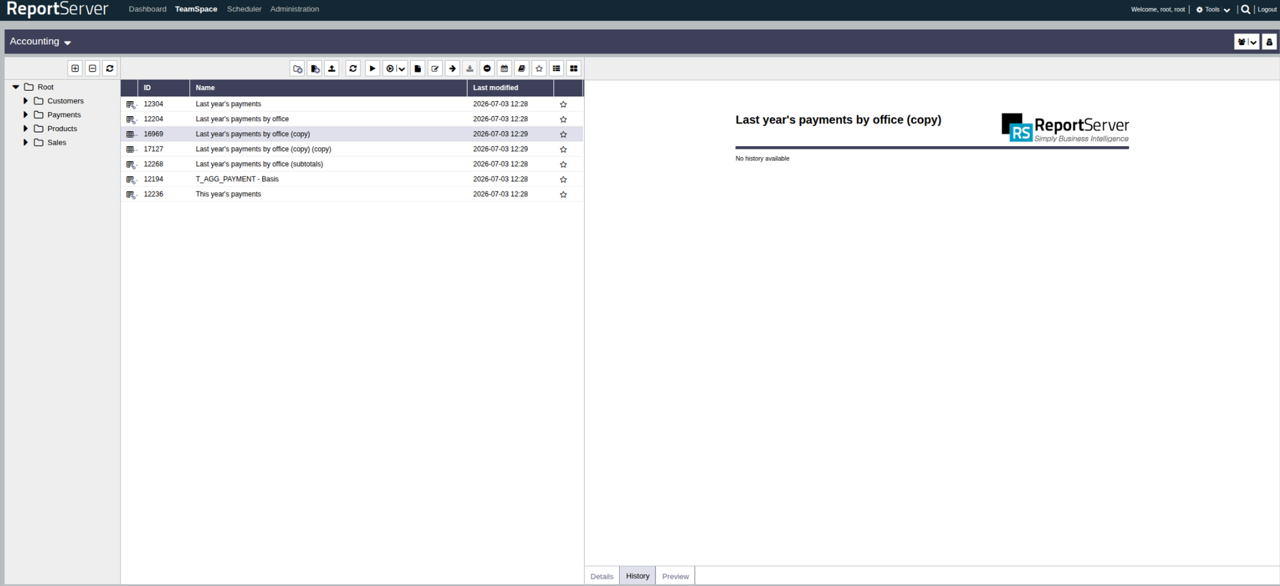
Fixed a NullPointerException when revision list was empty in the TeamSpace history tab

There was a cast error in the Groovy revision file, which has now been fixed. If a revision/history has been created and a cast error occurred beforehand, an empty report is now generated instead of an exception.

With revisions:

Revision history with revisions

Without revisions and without fix:

Revision history without fix

Without revisions and with fix:

Revision history with fix

Summary Release Notes

RSE-110 Bug Prevent duplicate user variable names in the UI and RPC
RSE-111 Bug Unique and not-empty user variable names enforced
RSE-112 Bug Scheduling wizard fails due to permission checks on unrelated report conditions
RSE-113 Bug Fixed a NullPointerException when revision list was empty in the TeamSpace history tab
RSE-122 Bug "Remove" buttons in filter dialog are not visible